You can create a DIY Bluetooth gateway (a BT proxy) which can read data from Bluetooth sensors around the home. You might have a Xiaomi temperature sensor, Xiaomi plant health sensor, Switchbot, BT key fob, Vent-Axia SVARA fan or BT oral-B toothbrush and if Home Assistant (or HACS) has an integration to connect them you’ll pick up the data that’s sent to their respective phone apps.
All you need is an ESP32 development board which will use wifi and Bluetooth to send information to Home Assistant. I DON’T use the web-based ‘ready-made BT proxy project’ at ESPHOME. I use the method below to ensure that I can see, and edit the device in the esphome dashboard as well as in Home Assistant.
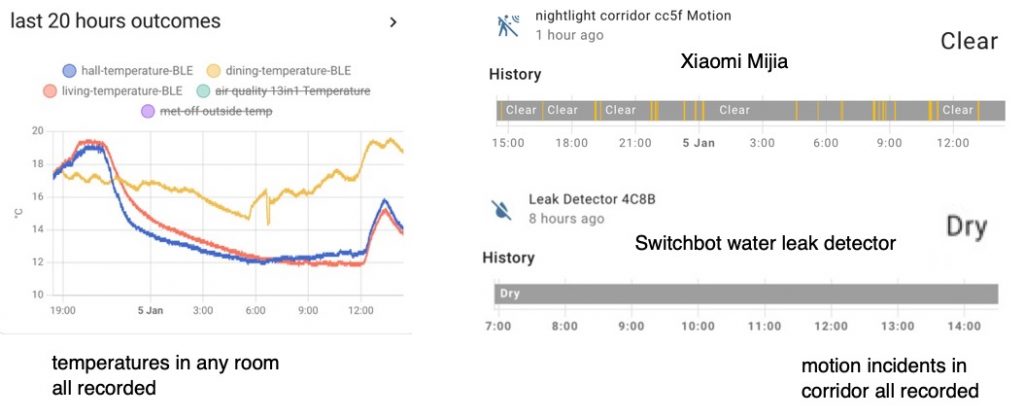
Presently I get data from my SVARA ventilation fans, Xiaomi room temperature sensors and Xiaomi Nightlights. The temperature sensors give me day by day history graphs – while the Nightlights detect motion which I might use to turn on a corridor light. The Bluetooth proxy reacts to my Switchbot water leak sensors. At a some point I will get Home Assistant listening out for the presence of my phone.
Not every xiaomi device works with Home Assistant – these do however (product code in brackets)
what you need to set up a Bluetooth proxy
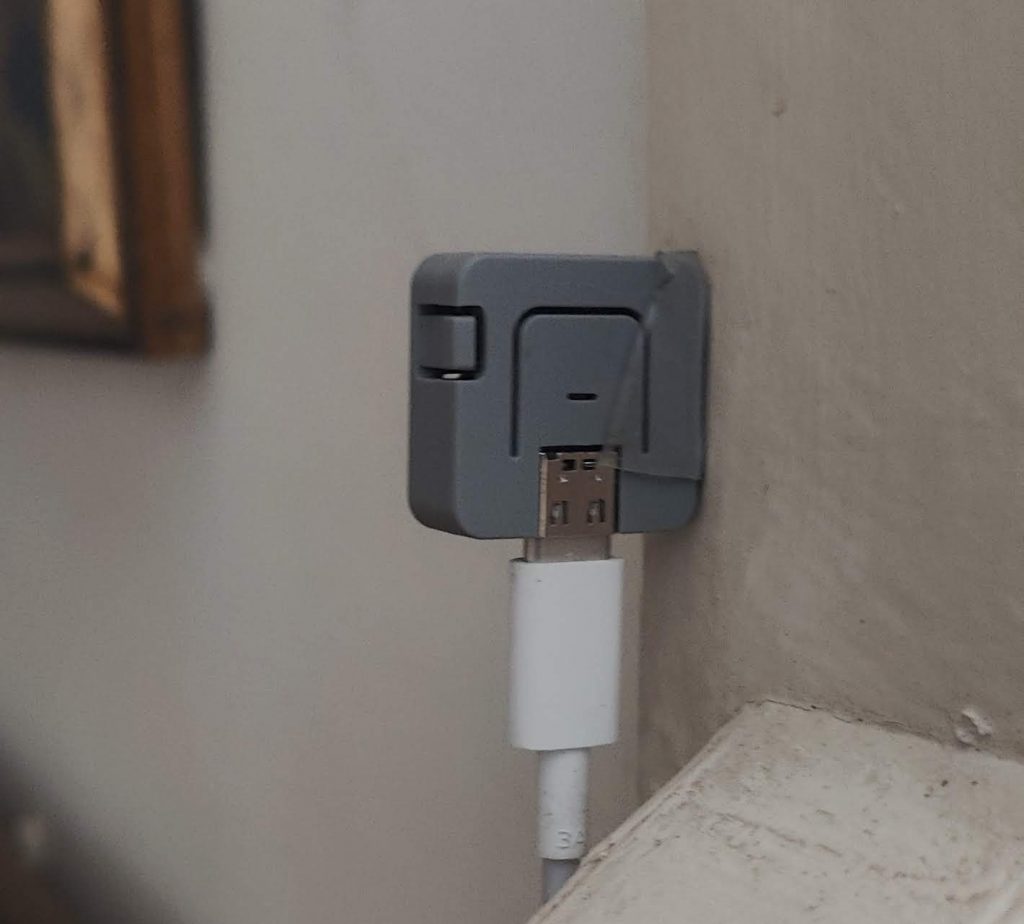
A Bluetooth proxy requires almost any of the ESP32 development boards you can find at maker shops or Amazon. You need an ESP32-based board not an ESP8266 board – some shop listings aim to confuse on this point. I rather like the M5Stack Atom Lite board because it looks cool and discrete.
You’ll also need a simple USB power supply, plus a mains socket fairly close to the centre of your house. One of these is sufficient if your devices are as close as one (even two) walls away. You can set up a couple of these should you need to ‘listen’ out for Bluetooth devices, such as phones around the home. In theory the Raspberry Pi running Home Assistant is very capable of picking up the data – however for some reasons we don’t want this BT running on the Pi – so we set up separate Bluetooth sniffing devices like this.
go to Home Assistant ESPHome
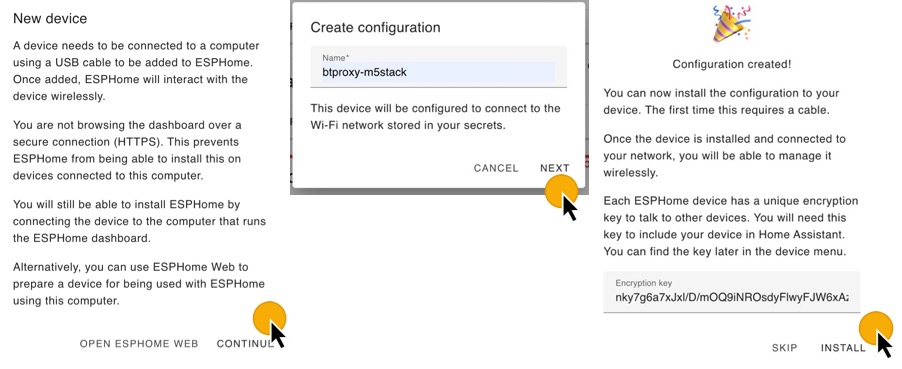
Click add device. The idea is to create a place in the ESPHome dashboard, upload some basic code and lastly upload the BT proxy code below.
Go through this initialisation process – it will put your device in the ESPHome dashboard. It will make the device update-able over wifi (OTA update).
replace the code in the ESPHome dashboard with this code
use the suggested encryption key; change the wifi SSID and password; TRY esp-idf framework as below – use arduino framework if this fails; do add mdns: as shown. When you’ve made the edits, compile the code and install it ‘wirelessly’ or ‘ota’ or directly via a USB cable and a downloaded .bin file.
When your BT proxy has been running a while it may discover devices on your network. Home Assistant should discover the BT proxy as a new device. If nothing seems to be happening leave it a while or reboot or move the M5stack BT proxy to another location before searching for help. I don’t have wifi problems with the M5 Stack nor can I find fault. When I had problems it was because I used the code for the wrong ESP32 board.
#THIS VERSION USES THE esp-idf. If you find issues, use the second block of code below which uses the arduino code
packages: moved: github://esphome/bluetooth-proxies/m5stack/m5stack-atom-lite.yaml@main # edit for your chip
# THIS IS FOR the M5 STACK Atom Lite. IF YOU USE a ESP32 chip GO SEE THE CODE at github/esphome/bluetooth-proxies
rogerfrost.com is about using technology with a curious mind. We’re interested in home automation, gadget hacks and using sensors to understand what’s going on around the house. You can use keywords and the search box above to find content.
Please enjoy and share this advert free content. To say hi – ‘leave a reply’ button on this page – the message goes only to me in Cambridge, UK.
Roger Frost (his cv) has been writing about technology for all the years since 1988 and this web includes his articles; tutorials, radio interviews and, going back to our early days, lesson ideas for science teachers.